How to Install Whoogle on Your Synology NAS
페이지 정보

본문
1. 도커에서 benbusby/whoogle-search 찾아서 설치
2. 일반 설정에서 '자동 재시작 활성화' 체크
3. 포트 설정
4. http:// IP 주소 : 포트 번호
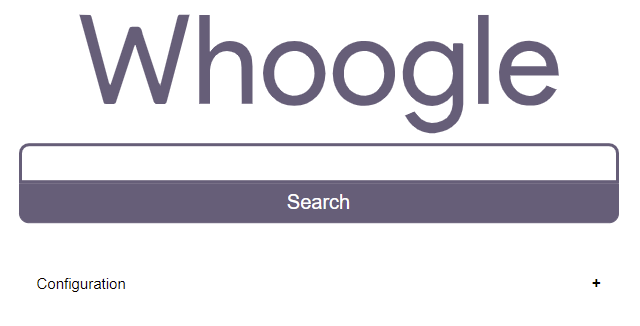
http://Synology-ip-address:포트 번호/search?q=%s
version: "3"
services:
whoogle:
image: benbusby/whoogle-search:latest
container_name: whoogle
ports:
- 포트 번호:5000
restart: unless-stopped
https로 검색엔진 설정 시
키워드에 aaa.bbbbb.com
URL에 https://aaa.bbbbb.com/search?q=%s
- 추가 -
# cant use mem_limit in a 3.x docker-compose file in non swarm mode
# see https://github.com/docker/compose/issues/4513
version: "2.4"
services:
whoogle-search:
image: ${WHOOGLE_IMAGE:-benbusby/whoogle-search}
container_name: whoogle-search
restart: unless-stopped
pids_limit: 50
mem_limit: 256mb
memswap_limit: 256mb
# user debian-tor from tor package
user: whoogle
security_opt:
- no-new-privileges
cap_drop:
- ALL
tmpfs:
- /config/:size=10M,uid=927,gid=927,mode=1700
- /var/lib/tor/:size=10M,uid=927,gid=927,mode=1700
- /run/tor/:size=1M,uid=927,gid=927,mode=1700
#environment: # Uncomment to configure environment variables
# Basic auth configuration, uncomment to enable
#- WHOOGLE_USER=<auth username>
#- WHOOGLE_PASS=<auth password>
# Proxy configuration, uncomment to enable
#- WHOOGLE_PROXY_USER=<proxy username>
#- WHOOGLE_PROXY_PASS=<proxy password>
#- WHOOGLE_PROXY_TYPE=<proxy type (http|https|socks4|socks5)
#- WHOOGLE_PROXY_LOC=<proxy host/ip>
# Site alternative configurations, uncomment to enable
# Note: If not set, the feature will still be available
# with default values.
#- WHOOGLE_ALT_TW=farside.link/nitter
#- WHOOGLE_ALT_YT=farside.link/invidious
#- WHOOGLE_ALT_IG=farside.link/bibliogram/u
#- WHOOGLE_ALT_RD=farside.link/libreddit
#- WHOOGLE_ALT_MD=farside.link/scribe
#- WHOOGLE_ALT_TL=lingva.ml
#- WHOOGLE_ALT_IMG=imgin.voidnet.tech
#- WHOOGLE_ALT_WIKI=wikiless.org
#env_file: # Alternatively, load variables from whoogle.env
#- whoogle.env
ports:
- 5000:5000
댓글목록
등록된 댓글이 없습니다.